
What Automated Preflight Misses in Real Print Production
- August 19, 2026
- Prepress Services
- Kevin Bharmal
Automation has made prepress faster, cleaner, and more consistent. It scans a PDF in seconds and flags missing components and file-structure problems before a job reaches the plate or press. No serious print operation should ignore that speed.
But a software check has a limit. It can tell you whether a file breaks certain rules, not whether the file fits the job: the customer approval, the current dieline, the substrate, or the finishing path.
This guide explains where automated preflight falls short and why experienced human review remains the core of dependable prepress services for commercial printers, converters, and agencies before files move into production.
Table of Contents
ToggleWhat Automation Does Well in Prepress
Automated preflight is excellent at rule-based checking. It can quickly scan a print file and flag technical issues such as:
- Missing or unembedded fonts
- Low-resolution images
- RGB images in a CMYK workflow
- Missing bleed
- Objects outside the trim area
- Live transparency in workflows that require flattening
- Total ink coverage above a set limit
- Unexpected spot colors
- PDF files that do not meet the selected output profile
- Incorrect page size or trim box settings
These checks are valuable because they are fast, repeatable, and consistent. A person may miss a small technical issue under deadline pressure. Software does not get tired, distracted, or rushed; it applies the same rules every time. This is why automated preflight should be part of every serious prepress workflow.
Where Automated Preflight Falls Short
1. Automation Cannot Know If It Is the Approved Version
One of the most common production risks is also one of the simplest: the wrong file. A PDF may pass every automated check and still be an earlier version, carrying the old barcode, the old legal copy, an outdated price, a previous logo, or a dieline revision that has already been replaced.
Software can check whether the file is technically valid. It cannot know whether the customer approved Version 8 but someone uploaded Version 6. That judgment needs production control: a human prepress operator checking file names, revision notes, approval history, job tickets, and customer instructions. In busy print environments, this review prevents the most frustrating kind of mistake, printing a technically perfect file that should never have gone to press.
2. Automation Cannot Fully Judge Dieline Intent
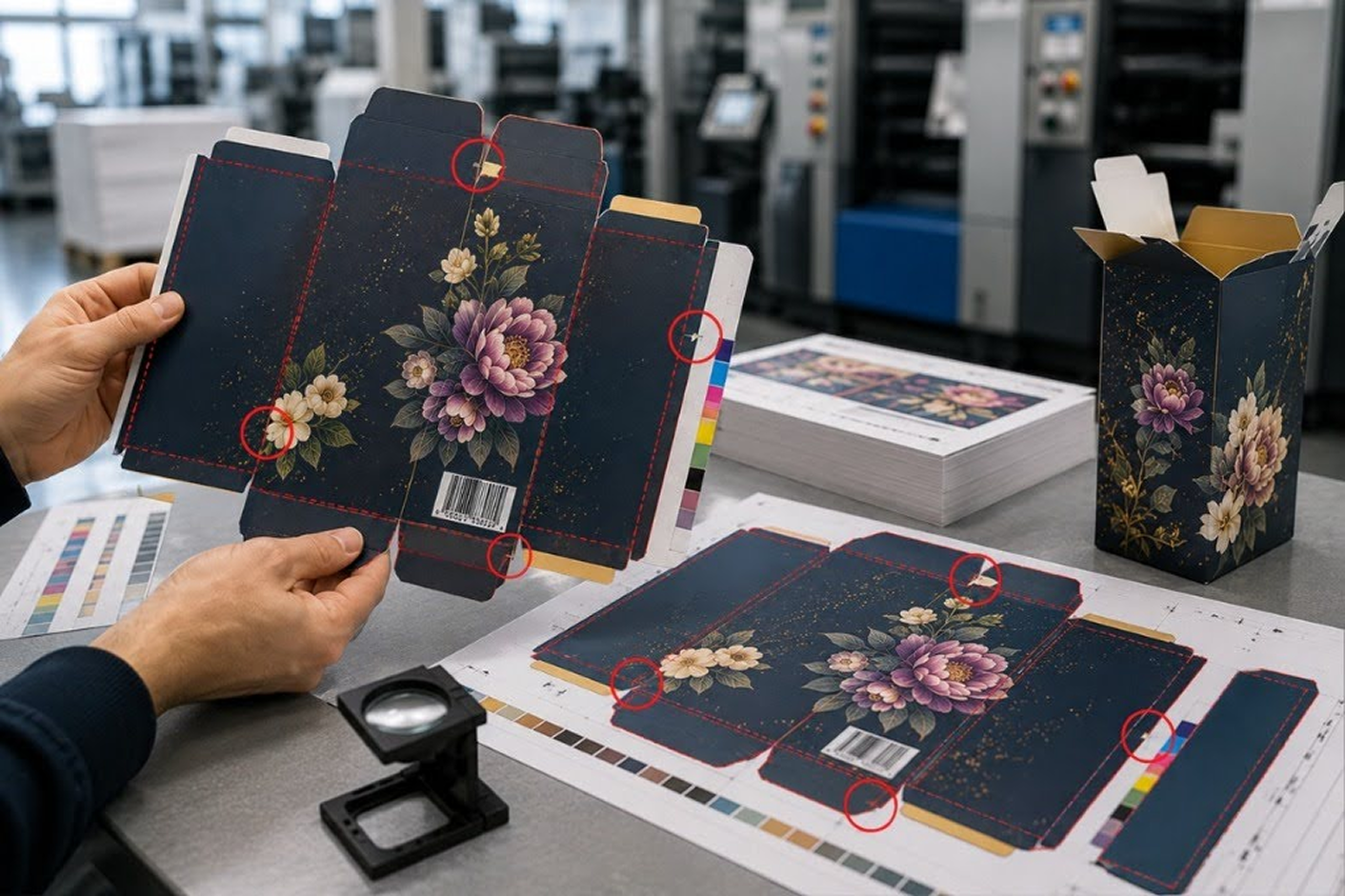
Dielines are not just lines in a file. They are production instructions. Automated preflight may detect whether a dieline layer exists, whether it uses a spot color, and whether it is set to overprint. That is useful. But it may not know whether the dieline is the latest approved version, whether the fold sequence is correct, or whether the glue flap and coating areas match how the carton will actually be finished.
For folding cartons, a dieline mistake can result in white slivers, cracked artwork, incorrect panel orientation, or glue failure. For labels, die layout, gap, repeat length, and unwind direction can affect the entire roll. Software can check structure; it cannot always understand structural intent. A trained operator reviews the dieline against the job specification, finishing path, and production notes, which is what separates a file that looks clean from a file that will actually run cleanly.
3. Automation Cannot Always Read Brand Color Risk
A file can be technically printable and still be wrong for the brand. Automated preflight can flag RGB colors, unintended spot colors, or total ink coverage issues. But it cannot always know that a brand orange has shifted too far on a particular substrate, or that the previous approved run used a specific spot-color build to match the customer’s expectation.
Color is not only a number in the file. It is affected by ink, substrate, coating, printing process, and viewing condition. For brand-sensitive work, especially packaging and labels, a specialist compares the file against brand references, previous production standards, spot-color requirements, and press limitations. Automation can tell you the color is valid. It cannot always tell you the color is right.
4. Automation May See a Barcode, but Not the Printing Risk
A barcode can still fail after printing, even if it exists in the file. Automated checks may confirm that a barcode is present, placed on the artwork, and built at a basic size. But barcode performance depends on more than presence. The prepress team must consider bar width reduction, quiet zones, contrast, ink gain, substrate, orientation, and verification requirements, and a barcode printed on flexo, digital, offset, or gravure may need different preparation.
On a flexo label, for example, ink gain can thicken the bars and reduce the spaces, so a barcode that looks fine on screen may fail verification on the final label if it was not prepared for the process. A human check asks the practical questions:
- Will this barcode scan after ink gain?
- Is the contrast strong enough?
- Are the quiet zones clear,
- Is it placed away from folds, seams, or curves,
- Does the job require verification to a specific grade?
Automation can flag some barcode issues. It cannot replace production judgment.
5. Automation Cannot Fully Understand White Ink Logic
White ink is one of the clearest examples of why prepress cannot depend only on software. On clear labels, metallic stock, and some packaging applications, white is not just another color. It controls opacity, transparency, and final appearance. A file may contain a white plate, but that does not mean the white is correct. The real questions are:
- Should the white print under all artwork or only selected areas?
- Should it be choked slightly under the color?
- Should it overprint or knock out?
- Which parts should remain transparent?
- Does the customer expect a clear window?
- Will registration movement create a halo?
Automated preflight may confirm that a white spot color exists. But it cannot always understand what the designer intended, what the substrate will do, or how the label should look when applied to a product. Human review is essential because white ink is partly technical and partly a visual judgment.
6. Automation Can Miss Glue, Coating, and Finishing Problems
Many expensive print failures do not happen in the press. They happen after printing. A carton may print beautifully but fail at the folder-gluer because varnish entered the glue area. A label may print correctly but create issues during lamination, die cutting, or rewinding. A mail piece may pass artwork checks but fail postal automation because the address zone or barcode area was not handled correctly.
Automated preflight can check some layers and objects, but it may not fully understand the finishing process. Glue areas, coating windows, perforations, fold lines, embossing, foil, die cutting, and lamination all need production awareness. The file has to be checked not only for printing, but for what happens after printing, which means reviewing the file as a production instruction, not just as artwork.
7. Automation Cannot Replace Press and Substrate Experience
Print is physical. Ink spreads, paper stretches, film behaves differently from board, and coated stock reacts differently from uncoated. Flexo plates hold detail differently from offset plates, digital presses have their own limits, and finishing can change what looks safe in the file. Automation works from defined rules, but real production often depends on experience.
A 0.25 point rule may be technically present, but will it hold on that process? A reversed text size may pass a basic file check, but will it fill in on press? A rich black may be within total ink coverage, but will it dry properly on that substrate? A fine gradient may look acceptable in the PDF, but will the plate hold the highlight? These are not only software questions. They require a person who understands print behavior.
8. Automation Cannot Prioritize Risk Like a Human
Not every warning has the same importance. A preflight report can produce dozens of alerts. Some are harmless, some are urgent, and some depend entirely on the job. A low-resolution image in a small background texture may not matter, while a low-resolution logo on the front panel does. A spot color may be intentional, or it may be a forgotten swatch that creates an extra plate. A transparency warning may be acceptable in one PDF workflow and risky in another.
Automation flags issues. A person decides what matters. This is where experienced prepress saves time instead of adding delay, because the goal is not to produce long reports. The goal is to correct the real problems and move clean files into production.
The Real Problem Is Blind Trust
Automation is not the problem. Blind trust is the problem. A file can pass every automated check and still be wrong for production, because passing means the file met a set of rules, not that it is the right file for this job. A print operation that ignores automation is inefficient; one that depends on automation alone is exposed. The right approach is balanced:
- Use automated preflight to catch rule-based technical issues quickly.
- Use human review to confirm version, intent, production fit, and risk.
- Use job-specific profiles instead of generic settings.
- Check the file against the real press, substrate, and finishing path.
- Correct the file before production, not after the problem reaches press.
That is not slower. In most cases, it is faster because it prevents rework, reruns, and production interruptions.
What This Means for Printers and Converters
For commercial printers, label converters, and packaging producers, the question is not whether automation should be used. It should. The better question is: who is reviewing what automation cannot understand?
If the internal team is stretched, files may get rushed through with only a software pass. That can work for simple jobs. But for packaging, labels, dielines, barcodes, spot colors, white ink, variable data, finishing, and repeat work, the risk is higher, and a missed issue can cost plates, substrate, press time, finishing time, and delivery confidence.
This is where outsourced commercial print prepress services help. They do not replace your workflow; they support it, adding trained file review, correction, and production preparation when your team is busy or when files need a second set of experienced eyes.
Automation Catches Rules. Alpha Prepress Catches Production Risk
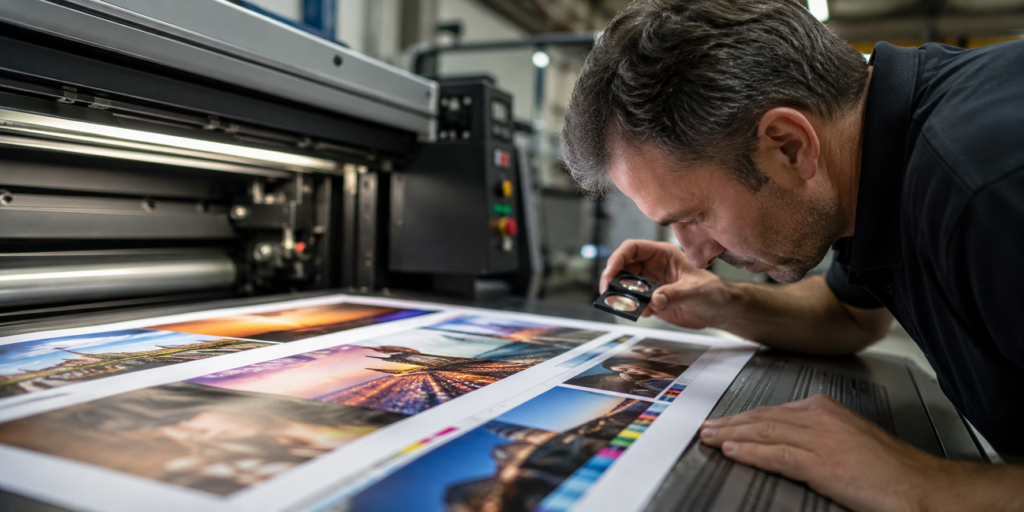
Automation is powerful, but it is not a production brain. Depending on it alone does not remove that risk. It only hides it.
Alpha Prepress supports printers, converters, and agencies with expert preflight services that combine software checks with production judgment. Every file is reviewed and prepared carefully, from preflight, artwork correction, dieline setup, trapping, and color checks to barcode preparation, step and repeat, and press-ready file preparation.
Files are returned under your own label, with same-day or overnight turnaround depending on the scope.
Send your next file for review, or schedule a call to talk through your prepress workload.
