 A Printing United Alliance Member
A Printing United Alliance Member
A Printing United Alliance Member
Introduction
Print jobs can go off track long before they reach the press. Most delays and reprints occur due to overlooked prepress issues, such as missing bleeds, low-resolution images, unembedded fonts, or incorrect color profiles. These small details often turn into expensive mistakes.
For commercial printers, avoiding these pitfalls is not just about saving money. It is about keeping client trust, maintaining press schedules, and delivering quality every single time.
If your file does not have a proper bleed (typically 1/8" or 3mm), you risk white edges after trimming. This is especially risky on full-color brochures, flyers, or book covers.
What to check:
A file that looks great on screen can print pixelated if the resolution is too low. CMYK print jobs typically require 300 DPI at final size.
Common issues:
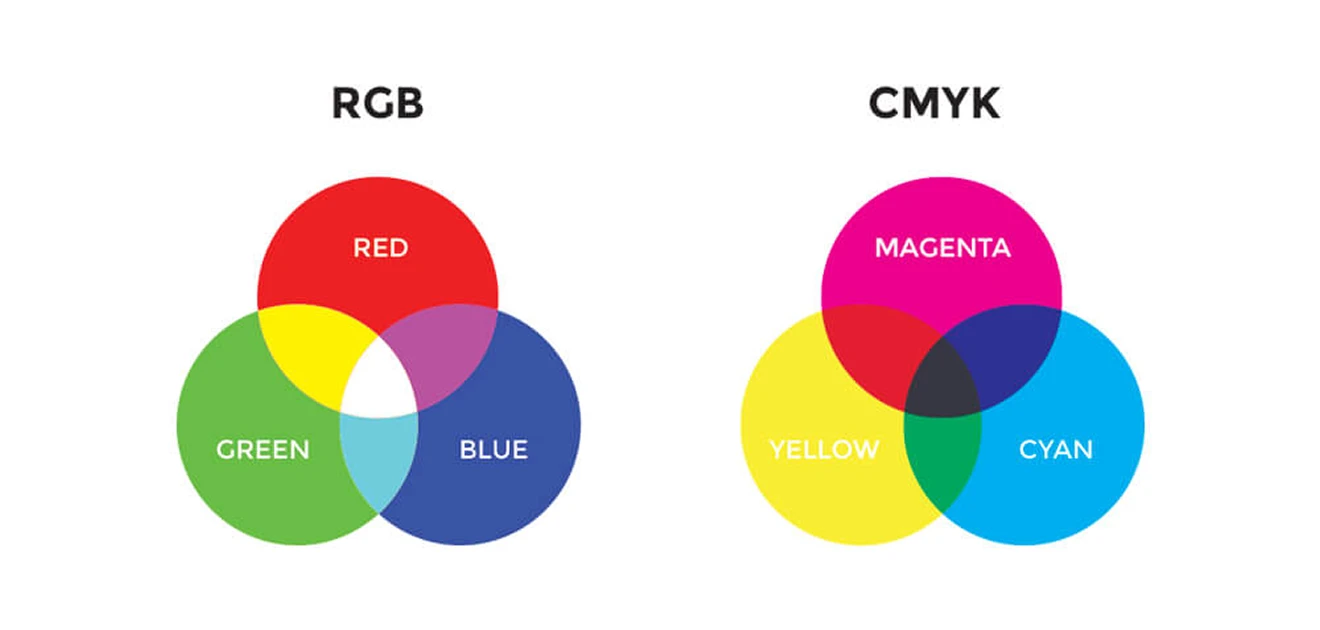
Printing in RGB color mode can lead to unexpected color shifts. Always convert files to CMYK before submission.
Quick fix: Use Adobe Acrobat's output preview or your RIP software to catch these color mode issues early.
Missing or substituted fonts can completely alter a layout. Preflight tools often catch this, but not always.
Best practices:
Clients might send an A4-sized layout for an 8.5x11" print, or set safety margins too close to trim.
What to look for:
At Alpha Prepress, our commercial prepress team runs detailed checks for each job before RIP. We use Enfocus PitStop, Adobe Creative Cloud, and custom preflight setups to catch errors before they cause downtime.
You send us the files, and we make sure they are ready to print every time.
Final Tip:
Do not wait for press issues to teach you what could have been caught earlier. Let prepress catch what design misses.
Need help with commercial print file prep?
Reach out today and let us support your pressroom precision.