
Label Dieline Setup: Rolls, Repeats, and Eye Marks
- September 25, 2026
- Packaging Prepress
- Kevin Bharmal
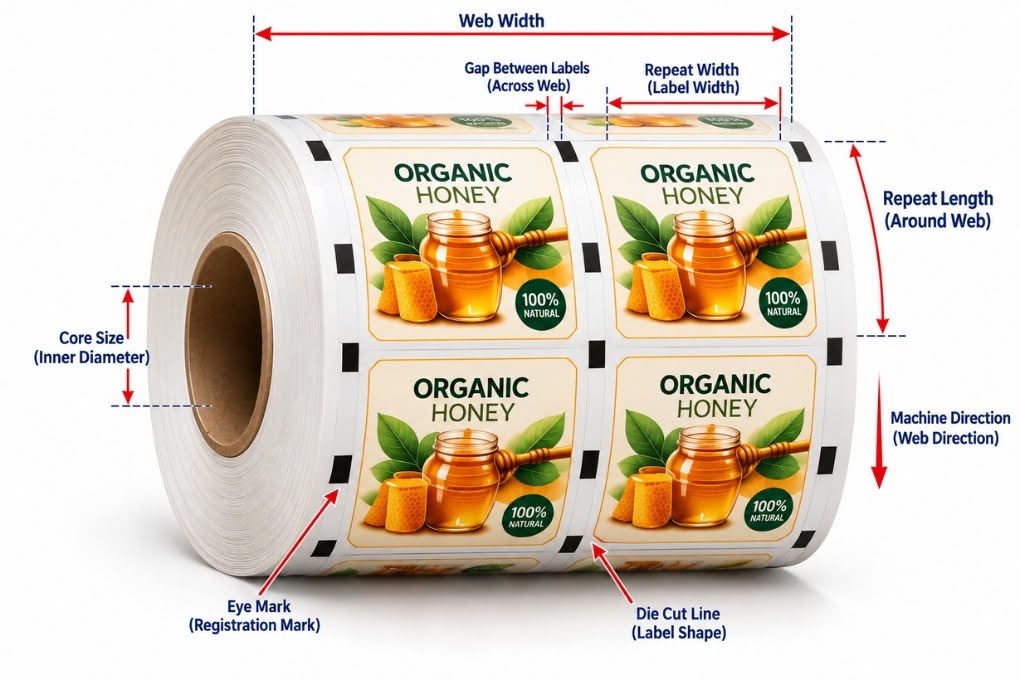
A pressure-sensitive label looks like the simplest packaging format there is: one shape, one surface, no folds. The dieline tells a different story. A roll label is produced on a moving web, cut by a rotating die, stripped of its waste at speed, rewound, slit, and finally dispensed by an applicator that expects every label to arrive in exactly the same position. Each of those steps leaves a requirement in the file.
This is why a label dieline is not a shrunken carton dieline. It is built around the web, and files that ignore the web are the ones that come back from the converter with questions, or create orientation problems during application.
Specialized label prepress handling exists to settle these requirements before the job ships. Here is what the file has to answer for.
Table of Contents
ToggleA Label Dieline Is Built Around the Web
Everything on a roll label job has a direction. The web moves through the press in the machine direction, labels repeat both across the web and around the cylinder, and the finished master reel is slit into narrower applicator-width rolls after die cutting. The dieline records all of it: label orientation relative to the machine direction, the gaps between labels across and around the web, and the position of every label in the step-and-repeat layout.
The logic is the same one that governs board-driven work, where flute and board grade change a corrugated dieline: the production method is an input to the file, not something bolted on afterward. For labels, the production method is a web in motion.
Unwind Direction Decides the Artwork Orientation
Unwind direction, also called roll direction, describes which edge of the label comes off the roll first and whether the labels are wound facing out or facing in. Label converters commonly use eight unwind positions, combining four possible leading edges, top, bottom, left, or right, with labels wound either face out or face in.
The numbering used for those positions can vary between suppliers, so the converter’s own unwind chart should always govern. The required construction depends on the applicator and product orientation, not on a preferred default.
The dieline and artwork have to be built for the position the applicator needs. Get it wrong and the labels dispense upside down or sideways, and an entire run can be unusable for machine application.
Orientation also interacts with the die: a landscape label and a portrait label of the same dimensions are different layouts on the web, and the step-and-repeat has to reflect the one the unwind position requires.
Repeats: Where the Die and the Press Must Agree
Around the web, the label repeat has to match the die tooling and press configuration being used. Label length, gap, repeat, and printed image position all have to agree with the converter’s production layout so print and cut remain registered as the web runs. Across the web, the number of labels and their gutters must match the die layout and the slitting plan that follows it.
This is where step-and-repeat errors usually begin. A repeated file that does not match the die tooling, the unwind direction, and the finishing path will fail no matter how clean the single-label artwork is. It is one of the recurring problems covered in our look at why label files fail on a flexo press, and it is preventable: the repeat is built from the converter’s die layout and cylinder specification, never from what fits neatly on the artboard.
Eye Marks: The Mark the Sensor Reads
Some web-fed label and finishing operations use printed reference marks for registration or triggering; other equipment senses the physical label gap or another media feature instead.
An eye mark, sometimes called a registration or sensor mark, is a small, high-contrast printed block positioned where an optical sensor can detect it, usually near the web edge and in a consistent position relative to the die. Depending on the production setup, sensors can use the mark as a positional reference for registered finishing operations, inspection, dispensing, or other downstream equipment.
The requirements are practical rather than decorative. The mark needs strong contrast against the actual substrate, which matters especially on films and metallics, where a mark that looks dark on screen can read poorly to a sensor. The sensor’s path along the web has to stay clear of graphics that could false-trigger it. The mark should sit outside varnish and other coatings that change how it reads. And its position relative to the die must be identical on every repeat, because the sensor relies on it as the positional reference for each repeat.
Mark size, shape, placement, and sensor type all belong to the converter’s specification, and the dieline should carry the mark exactly as that specification defines it.
Matrix Stripping Shapes the Dieline
After die cutting, the waste skeleton around the labels, the matrix, is stripped away at speed, leaving the labels on the liner. In a pressure-sensitive label construction, the die is normally set to cut through the facestock and adhesive without damaging the release liner beneath it, so the matrix has to lift cleanly as one continuous ladder. Whether it does is decided largely by the dieline.
Gaps between labels sized below the converter’s minimum leave a matrix too weak to survive stripping; it breaks repeatedly, and every break stops the press. Square corners hold onto the liner and tear the matrix where rounded corners release cleanly, which is why converters specify minimum corner radii, and why sharp corners also shorten die life and complicate automatic application. Windows, holes, and other interior cutouts leave thin bridges of matrix that tear if they are too narrow.
And for conventional pressure-sensitive labels intended for automatic dispensing, sufficient gap and exposed liner also matter because the leading edge needs to release cleanly as the web passes over the peel plate. None of these are artwork decisions. They are stripping and application decisions, recorded in the dieline.
Why This Matters at Volume
A carton dieline problem may become apparent during converting or folding. A label dieline problem can travel further through production before it appears at the customer’s applicator, where an unwind error or a mis-positioned mark turns a finished run into waste. Label work is high-repeat by nature, so a dieline error does not happen once. It happens on every label, every roll, and every reorder built from the same production file.
Label Prepress Support When Roll Work Picks Up
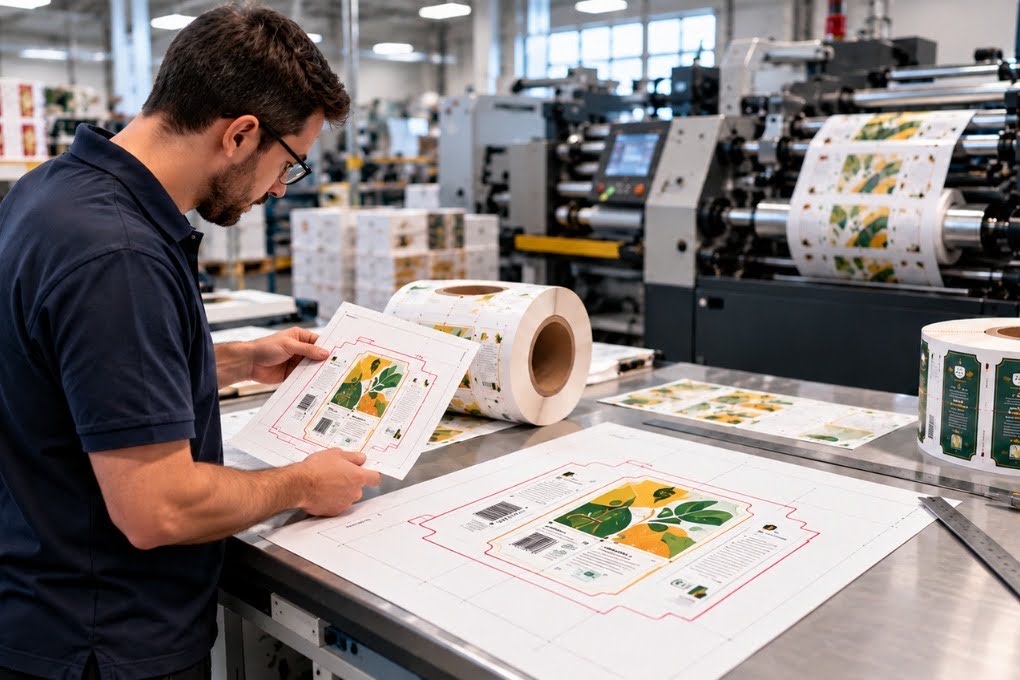
Roll label jobs require the dieline, the repeat, the unwind position, and the converter’s die and sensor specifications to agree before anything prints. When any of those inputs changes, the file has to change with them.
Alpha Prepress has supported label printers and packaging converters since 2006, providing label dieline preparation, step-and-repeat checks, artwork preparation, preflight, and other packaging prepress services.
Our team works within your existing production requirements and converter-supplied specifications, with same-day or overnight turnaround available depending on job scope.
If roll label volume is stretching your internal prepress team, talk with us about supporting your workflow.
Frequently Asked Questions
Can I use the same dieline for sheet labels and roll labels?
What happens if the unwind direction is wrong?
Why do converters ask for rounded corners on labels?
What is the gap between labels actually for?
Prepress ensures correct resolution, color profiles, bleed settings, and alignment so your final prints have accurate colors, crisp images, and perfect finishing.
